
Remove
Watermarks. Keep the Moments.
pixel clean is a free watermark remover for Gemini, Nano Banana and AI Studio images and video. Reverse-alpha reconstruction returns the original pixels, not a guess — 100% in your browser.
Part of Get Everything GPT — free AI tools that run entirely on your device.
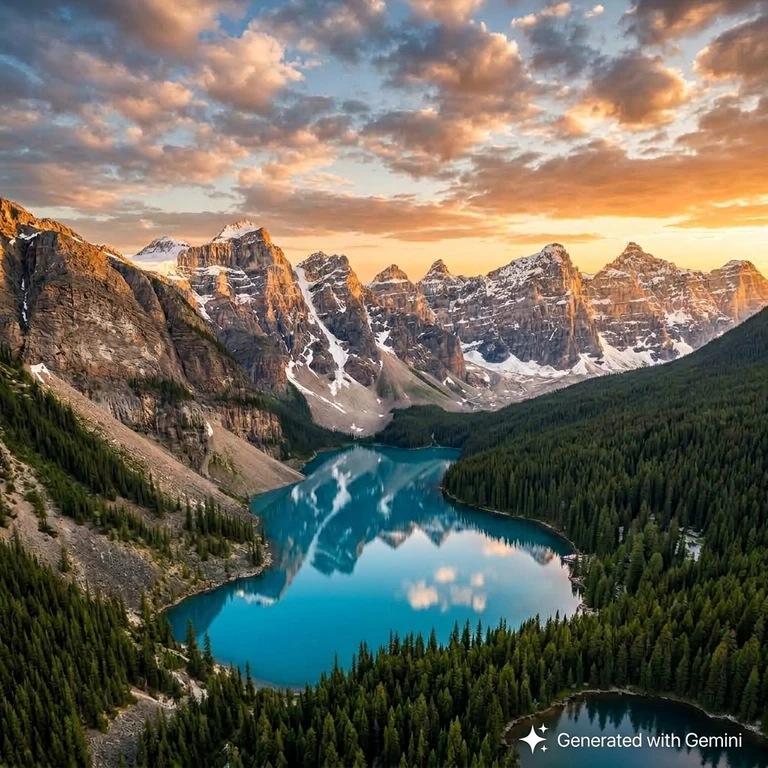 Gemini Watermark
 100% Watermark Removed
Why Choose pixel clean?
Mathematical pixel recovery instead of AI guessing — sharper results, every time.
Gemini Image Watermark Removal
Removes visible Gemini logo overlays from JPG, PNG, and WebP files with subpixel precision — no smear, no softening.
Veo Video Watermark Removal
Frame-accurate temporal analysis cleans Veo & Gemini video watermarks across every frame without quality loss or re-compression.
100% Browser Privacy
Zero cloud uploads. All decoding, reverse-alpha math, and export run entirely inside your browser sandbox — files never leave your device.
Zero Smudge, Zero Blur
Inverts the watermark transparency equation mathematically to recover original sensor pixels — no generative AI inpainting, no artifacts.
More free AI tools
Everything below runs entirely in your browser. No uploads, no signup, no credits.
Image StudioFlagship
Remove visible Gemini and AI Studio watermarks from JPG, PNG and WebP with reverse-alpha reconstruction.
Video Studio
Frame-accurate cleanup for Gemini video exports. Audio passes through, nothing is re-compressed.
Watermark Remover
How the reverse-alpha engine works, and why it avoids the blur and smear of generative inpainting.
Prompt Optimizer
Finds the structural gaps in your prompt — format, constraints, audience, context — and scaffolds them with editable defaults. No API call.
Text Humanizer
Strips stock AI phrasing and invisible padding from your writing. 48 deterministic swaps, every change listed so you can audit it.
Background RemoverComing soon
Cuts the subject out of an image and exports a transparent PNG. Runs on-device once the model is cached.
How It Works
Three steps to restore your Gemini or Veo media to pixel-perfect quality.
Upload Your Media
Drag & drop your original Gemini or Veo download into Image Studio or Video Studio — no account needed.
Auto-Detect & Reconstruct
The engine auto-locates the watermark region, calculates subpixel coordinates, and inverts the alpha blend equation mathematically.
Download Full Quality
Export lossless PNG or clean MP4 directly to your device. Processing stays entirely local — nothing sent to any server.
Reverse-Alpha vs AI Inpainting
pixel clean uses math, not machine learning guesswork.
| Feature | pixel clean | AI Inpaint Tools | Manual Clone/Heal |
|---|---|---|---|
| Blur / smear risk | None — math | High | Medium |
| Upload required | Never | Usually cloud | Desktop app |
| Free full resolution | Yes | Often capped | Software cost |
| Works on Gemini / Veo | Optimized | Generic | Manual effort |
| Privacy | 100% local | Cloud upload | Local |
Frequently Asked Questions
Everything you need to know about pixel clean watermark removal.
Is pixel clean a free watermark remover?
Yes — pixel clean is completely free for both images and videos. Full-resolution export is included with no credits, no watermark stamps on your result, and no registration required.
Do my files get uploaded to a cloud server?
No. All processing happens 100% locally in your browser using WebAssembly and HTML5 Canvas. Your files never leave your device at any point during cleaning or export.
How does pixel clean remove watermarks without blur?
Instead of generative AI inpainting that smears textures, pixel clean uses reverse-alpha mathematics: it inverts the watermark blend equation output = mark × α + original × (1 − α) to recover the authentic pixels underneath — no guessing, no blur.
Can I remove watermarks from Veo videos?
Yes! Use Video Studio to clean Veo and Gemini MP4 video exports frame-by-frame with hardware acceleration. Audio passes through when supported.
What formats are supported?
Image Studio accepts JPG, PNG, and WebP up to 20 MB. Video Studio supports MP4 and WebM. Always use original downloads from Gemini or Veo — screenshots and re-encoded files may not restore cleanly.
Is watermark removal legal?
Only for media you own or have explicit authorization to modify, and where the source service's terms permit it. Do not remove marks from stock or third-party media you do not license. Read our legality guide →
Deterministic Subpixel Reverse-Alpha Architecture
pixel clean executes subpixel luminance differential inversion locally. Rather than hallucinating textures, the engine mathematically neutralizes the blend layer across isolated coordinate matrices, preserving 100% optical sharpness with zero blurring. Read the technical deep-dive →